Is CTRTool Good for Device Emulation? A CTR Campaign Guide
You have set a desktop CTR campaign, but most of your target keywords get searched on phones. Device mismatch can quietly skew a campaign before the first visit is logged, and picking desktop or mobile per keyword is the decision that shapes everything else.
By the end of this article, you will know whether CTRTool is good for device emulation, how its Desktop CTR and Mobile CTR campaigns differ, and how keywords, location, and daily search count are configured. You will also see how screenshot proof, pricing, and the credit model affect the choice.
What Is CTRTool? Device Emulation and CTR Campaigns Explained
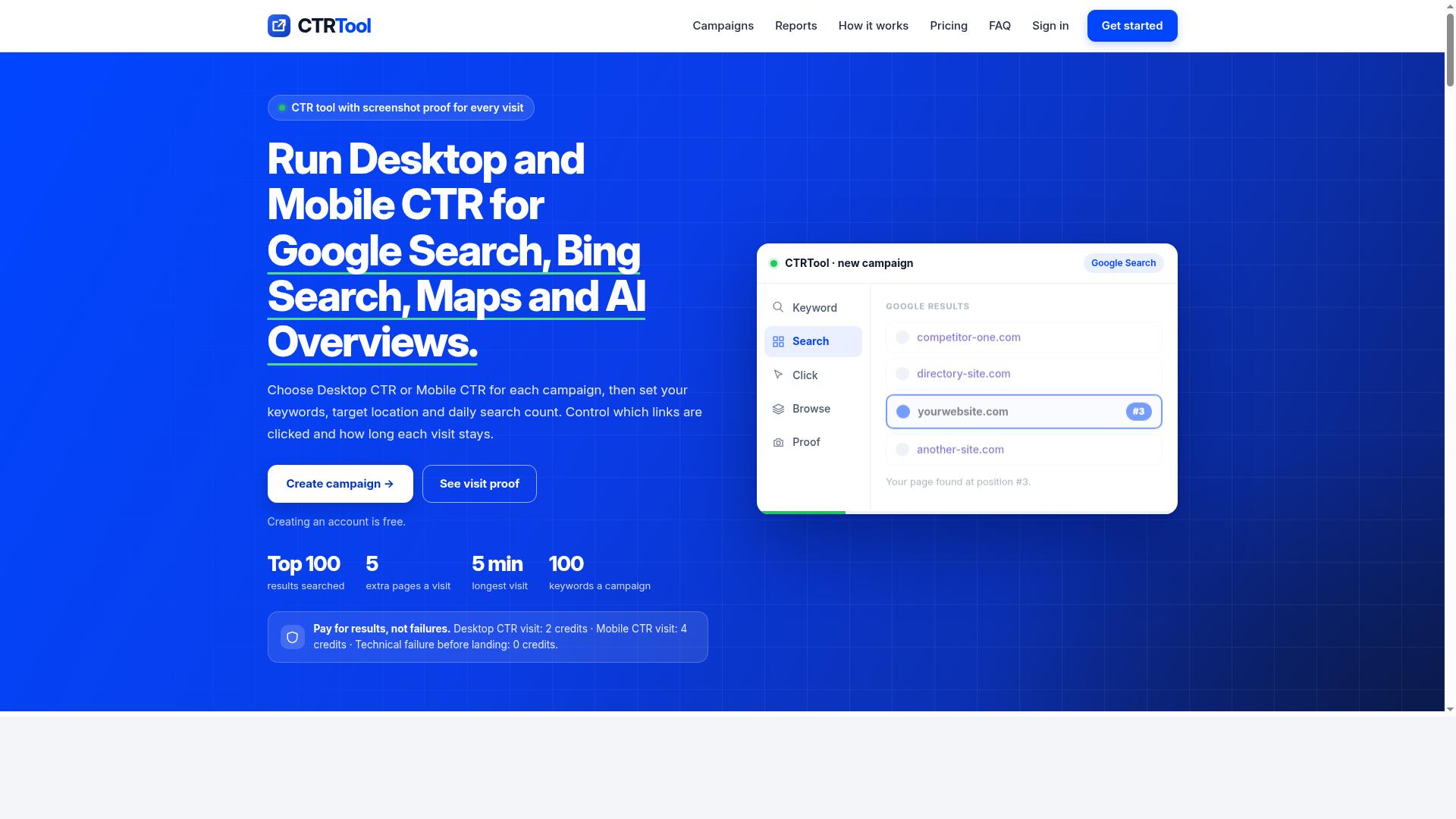
CTRTool is a SaaS platform that runs click-through rate (CTR) campaigns for Google Search, Bing Search, Google Maps, and AI Overviews, using device emulation to simulate desktop or mobile visits. Every visit is backed by screenshot proof, so users can see exactly what happened during a campaign.
In this context, device emulation means simulating a desktop or mobile environment so that a click looks like it came from an ordinary searcher on a real device. That matters because search engines increasingly treat desktop and mobile results differently, and a campaign that ignores the device dimension can send the wrong signals.
A CTR campaign is a structured effort to influence how often a listing gets clicked for chosen search terms. CTRTool keeps that effort organized around three levers: keywords, locations, and devices. Users pick the terms they want to support, set a target location, and choose whether the campaign runs on desktop or mobile.
Beyond the device choice, users also control the daily search count, which links get clicked, and how long each visit stays on the page. Those settings shape the overall traffic quality of a campaign and keep behavior closer to what a genuine visitor would do.
One point deserves emphasis early. CTRTool's own site states plainly that automated visits do not guarantee rankings. The tool is a way to influence CTR signals, not a shortcut that promises a position in the results. Readers should hold onto that framing as they evaluate the platform.
Who CTRTool Serves and How Device Emulation Fits In
CTRTool is built for SEO practitioners and agencies running CTR campaigns for their own or client websites across Google Search, Bing Search, Google Maps, and AI Overviews. These are people who already understand search performance and want a way to act on click-through rate signals deliberately.
The audience breaks down into a few recognizable groups:
- SEO professionals managing organic visibility for their own properties
- Agencies running campaigns on behalf of client websites
- Affiliates who need device-specific traffic for pages that perform differently by device
For all three, device emulation is the feature that makes campaigns realistic. A user can mimic real user behavior on either desktop or mobile, which is critical when a campaign targets one device type specifically. A mobile-focused page and a desktop-focused page rarely behave the same way in the results.
The platform supports both Desktop CTR and Mobile CTR per campaign, so users choose the device mode at the campaign level rather than mixing signals. That gives direct control over device targeting and keeps reporting clean for each campaign.
The site's own guidance also mentions using tier links, PBNs, and test properties, which fits the profile of practitioners who already work with layered link strategies. Device emulation slots into that workflow as the piece that makes each visit look device-appropriate rather than uniform.
For agencies in particular, the screenshot proof per visit adds a layer of accountability. Campaign activity can be reviewed rather than taken on faith, which matters when results are being reported to a client. That combination of device choice, location targeting, and visible proof is what positions CTRTool as a practical tool for device-specific CTR work.
Is CTRTool Good for Device Emulation? The Direct Answer
Yes, CTRTool is effective for device emulation campaigns because it provides screenshot proof for every visit and allows users to choose desktop or mobile CTR per campaign. That combination covers the essentials of a practical device emulation workflow without pretending to be something it is not.
The tool is built for CTR campaigns across Google Search, Bing Search, Maps and AI Overviews. Each visit is documented with a screenshot, so you can confirm that the emulated device actually rendered the page and produced the click you paid for. For campaign managers who need verifiable traffic, that proof matters more than a long list of spoofing options.
The device choice is straightforward: you pick desktop or mobile per campaign, which supports campaign targeting by device type. If your keyword set performs differently on phones than on desktops, you can run separate campaigns and read the results without mixing signals.
Where the tool stops short is advanced fingerprint work. CTRTool's verified features do not mention fingerprint randomization, canvas or WebGL fingerprint control, TLS fingerprint handling or full anti-detect browsing. It is a CTR campaign tool with proof, not a full anti-detect browser, and it should be judged on that basis.
The honest verdict: CTRTool is a practical, purpose-built option for device emulation inside CTR campaigns. It gives you device selection, full visit paths and screenshot evidence, which is exactly what a campaign needs. Teams looking for deep browser emulation or multi-accounting infrastructure should expect a different category of tool.
How CTRTool's Desktop and Mobile CTR Campaigns Work
CTRTool runs separate desktop and mobile CTR campaigns, each with its own settings for keywords, location, and daily search volume. This split is the core of its approach to device emulation: instead of treating every visit the same, the tool builds a distinct device profile for each campaign.
Setup follows a clear sequence. Users pick a campaign type, choose Desktop or Mobile, then define the keywords, location, and daily search count. From there, CTRTool handles the emulation and click generation on its own.
The available campaign types cover the main search surfaces:
- Google Search CTR, which searches a keyword and clicks the organic result
- Bing Search CTR, which does the same on Bing
- Google Maps CTR, which finds a business listing and clicks its website link
- AI Overview CTR, which finds a website in the overview and clicks its source link
Delivery happens through Desktop Chrome windows and real Android phone sessions, matched to the target location through managed proxy routes. That means the device side of each campaign is handled for the user rather than assembled manually. The two H3 sections below cover the device choice and the campaign settings in detail.
Choosing Desktop CTR or Mobile CTR Per Campaign
When creating a campaign, users must choose either Desktop CTR or Mobile CTR, which determines the device profile used for every visit in that campaign. The choice is fixed per campaign, so the device profile stays consistent across all visits.
Desktop CTR relies on desktop user agents and viewport sizes, reflecting how a page renders in a full browser window. Mobile CTR instead uses mobile user agents and touch event simulation, matching the smaller viewport and interaction style of a phone. CTRTool delivers these mobile sessions through real Android phone sessions rather than a simulated environment alone.
This distinction matters because the device choice shapes how each visit appears in analytics. A campaign aimed at mobile searchers should produce mobile sessions, and a desktop-focused campaign should look like desktop traffic. Mixing the two within one campaign would blur that picture.
The practical answer is to run separate campaigns for each device type. A site with a strong mobile audience can maintain a Mobile CTR campaign alongside a Desktop CTR campaign, each with its own keywords and volume. This keeps campaign targeting clean and makes device-level reporting easier to interpret.
Setting Keywords, Location, and Daily Search Count
Each campaign requires setting target keywords, geographic location (country, state, city, or 'Any country'), and a daily search count to control volume. These three inputs define what gets searched, where the visit appears to come from, and how many visits occur.
Keywords can be entered one per line or comma-separated, with support for up to 100 keywords per campaign. Location targeting goes down to the city level. Selecting 'Any country' uses a mix of supported locations instead of a single market.
One requirement shapes keyword selection: the page must rank in the top 100 for the keyword and location. Search depth reaches up to 100 results, so a keyword where the target page sits outside that range will not work.
The daily search count paces visits across the day. Timing can be set to run now, spread out, or with gaps, along with days, hours, and time zone. Daily goals reset at 00:00 UTC.
Consider a local business targeting 'plumber near me' in Chicago, IL, with 50 searches per day. The campaign would set that keyword, target Chicago at the city level, and pace 50 daily visits. Each campaign can also specify a target URL, internal page URLs, link text, click order, scrolling time, and up to five additional pages per visit, with visits lasting up to five minutes total.
Key Features That Make CTRTool Stand Out for Device-Targeted Campaigns
CTRTool differentiates itself with screenshot proof for every visit, full visit paths, and keyword position tracking across search and Maps results. For teams running device-targeted campaigns, these features answer a simple but urgent question: did the visit actually happen the way it was supposed to?
Device emulation changes how a search engine sees a visitor. A mobile user-agent, a simulated viewport, or a spoofed location can all shift what results appear and how a click is recorded. That makes verification essential, not optional. Without evidence, a campaign report is just a claim.
CTRTool's feature set is built around that evidence gap. The platform tracks keyword positions over time, including Maps listing order and AI citation order, so you can see how visibility shifts across surfaces, not just classic organic results. It also records partial visitor activity, which helps you understand what happened during a session beyond the initial click.
Campaign structure supports this at scale. CTRTool allows up to 100 campaigns with 100 keywords each, and one credit balance is shared across all campaign types, websites, and keywords. Visits can run up to 5 minutes with up to 5 additional internal pages, which matters when you want a visitor to move through a funnel rather than bounce immediately.
The commercial model reinforces the same principle. CTRTool uses a pay-for-results credit system with no credits charged for technical failures before landing, and visits that cannot verify the requested location use no credits. Unused credits roll over while you stay subscribed. For anyone testing device-targeted traffic, that structure keeps spend tied to delivered outcomes.
Screenshot Proof and Full Visit Paths for Every Visit
Every CTRTool visit generates two separate screenshot proofs: one of the search results page and one of the landing page, along with the full path taken by the visitor. This is the core of the platform's transparency, and it is the feature most relevant to anyone evaluating device emulation quality.
The search screenshot shows what the visitor saw when the query was entered. That includes the position of your listing and the context around it. The landing screenshot shows what loaded after the click. Together, they confirm that the click led somewhere real and that the destination rendered as expected.
The visit path adds sequence to those stills. It traces the route from search query to click to landing page, so you can follow the journey rather than infer it. When a campaign involves multiple internal pages, the path shows how the visitor moved through them.
This matters for two audiences:
- Client reporting: screenshots give stakeholders something concrete to review instead of a dashboard number.
- Internal auditing: teams can check whether a visit matched the requested targeting, including location and device conditions.
In most CTR tools, this level of proof is rare. Reports typically show counts and timestamps, leaving you to trust that the visit occurred as described. Separate search and landing screenshots close that gap, because each image verifies a different stage of the same session.
For device-targeted campaigns, the value compounds. If you are testing mobile emulation or viewport simulation, the search screenshot reveals which layout the visitor encountered. The landing screenshot confirms the mobile page loaded correctly. If something breaks between the two, the proof makes it visible rather than invisible.
That visibility also supports traffic quality decisions. When proof is available for every visit, you can spot patterns that suggest a campaign setting needs adjustment, and you can do it with evidence in hand. The result is a campaign record you can defend, review, and improve over time.
Pricing and Plans
CTRTool offers monthly plans in USD: Starter at $59/month for 2,000 credits (up to 1,000 desktop or 500 mobile visits) and Growth at $125/month for 5,000 credits (up to 2,500 desktop or 1,250 mobile visits). The Growth tier is marked Recommended on the site. Two larger tiers sit above it for heavier campaign scaling.
Every plan runs on the same credit model, so the only real decision is how much volume your CTR campaign needs. Creating an account is free, which lets you look around before committing to a paid tier.
| Plan | Price (USD/month) | Credits | Desktop Visits | Mobile Visits |
|---|---|---|---|---|
| Starter | $59 | 2,000 | Up to 1,000 | Up to 500 |
| Growth (Recommended) | $125 | 5,000 | Up to 2,500 | Up to 1,250 |
| Scale | $399 | 20,000 | Up to 10,000 | Up to 5,000 |
| Agency | $699 | 40,000 | Up to 20,000 | Up to 10,000 |
The credit model matters most for anyone testing device emulation. A desktop CTR visit costs 2 credits, while a mobile CTR visit costs 4 credits. That gap reflects the heavier work behind mobile emulation, where viewport simulation and user-agent handling add complexity.
Two smaller line items keep the model honest. A verified search without a match costs 1 credit, and a technical failure before landing costs 0 credits. In other words, you are not charged full price when the tool cannot deliver the visit.
Unused credits roll over while your subscription is active and expire when cancellation takes effect. That rollover is useful for campaigns that run in bursts rather than at a steady daily pace.
Users can upgrade or downgrade as needed, so a campaign can start small on Starter and move to a larger tier once targeting and traffic quality are dialed in. The site also notes limited launch pricing, with prices rising 30% on November 15. Custom development carries a separate, agreed one-time fee.
Trust Signals: Proof, Transparency, and the Credit Model
CTRTool builds trust through verifiable screenshot proof for every visit and a transparent credit-based pricing model that ties cost directly to usage. For anyone weighing device emulation and traffic quality, these signals matter because they turn an otherwise opaque process into something you can actually check.
Instead of asking users to take delivery on faith, the platform hands over evidence. That evidence is what separates a measurable CTR campaign from a blind spend.
The core proof mechanism is straightforward: every visit produces a search screenshot and a landing screenshot as separate proof images. Each image documents a distinct stage of the journey, so you can see the query that triggered the visit and the page that loaded afterward.
Beyond the two screenshots, CTRTool records full visit paths. That means the route through the site, including the internal pages a visitor reaches, is captured rather than summarized. For campaign auditing, this creates a defensible trail you can review after the fact.
This matters most when you are paying for outcomes. A screenshot trail reduces the risk of undelivered visits because each claim can be checked against a visual record instead of trusted on reputation alone.
The credit model is equally direct. Users know exactly how many visits they are purchasing, so cost maps to usage rather than to vague subscription tiers with unclear allowances.
CTRTool also protects the balance in specific situations. No credits are charged for technical failures before landing, and visits that cannot verify the requested location use no credits either. Both rules shift risk away from the buyer.
A single credit balance is shared across all campaign types, websites and keywords. Unused credits roll over while subscribed, which avoids the pressure of burning a balance before it expires.
Transparency extends to rankings over time. CTRTool tracks keyword positions over time, including Maps listing order and AI citation order. That gives you a longitudinal view rather than a single snapshot.
Tracking position alongside visit proof lets you connect campaign activity to observable movement. It is not a guarantee of results, but it is a clearer feedback loop than most tools offer.
Practical trust checks for any buyer:
- Confirm that search and landing screenshots are delivered as separate images.
- Review full visit paths to verify internal page activity.
- Check that failed visits and unverified locations are not charged.
- Track keyword positions, including Maps and AI citation order, over time.
Scale is handled without hidden limits on structure. CTRTool supports up to 100 campaigns with 100 keywords each, and visits can run up to 5 minutes with up to 5 additional internal pages. Those parameters are stated openly, which helps with planning.
Together, screenshot proof, published credit rules, and position tracking form a consistent picture. The platform shows what happened, charges only for what worked, and reports where rankings stand.
On the question of trust, the verdict is clear: CTRTool is a legitimate, transparent choice for CTR campaigns, and its proof and credit model are the reasons why.
Who Should Use CTRTool for Device Emulation Campaigns
CTRTool is best suited for SEO agencies, affiliate marketers, and in-house SEO teams that need device-specific CTR campaigns with verifiable proof. These are practitioners who already run click-through rate work across Google Search, Bing Search, Google Maps and AI Overviews, and who want the device dimension handled inside the same workflow rather than bolted on afterwards.
The platform is built for people running campaigns on their own properties or on behalf of clients. That makes accountability and proof central to who gets value from it, since results need to be shown to a client or a stakeholder, not just assumed.
The clearest fit is an agency juggling several client sites at once. Each property may need its own device mix, its own targeting, and its own reporting trail. A tool that keeps device emulation inside the campaign setup reduces the number of moving parts an account manager has to track.
Affiliates come next. Testing device-specific landing pages is routine affiliate work, and being able to run a CTR campaign against a chosen device profile helps isolate what actually moves performance. The brand's guidance also mentions using tier links, PBNs and test properties, which aligns with how affiliates already structure experiments.
In-house SEO teams round out the core audience. When a team owns a single site but cares about both mobile and desktop SERPs, device-level campaign targeting keeps the work focused and measurable.
Device emulation is not a substitute for a full anti-detect stack, and CTRTool should not be treated as one. Users who need advanced fingerprint spoofing or anti-detect browser features will likely need additional tools alongside it.
- Fingerprint-level work: canvas, WebGL and TLS fingerprint randomization sits outside what a campaign tool covers.
- Identity isolation: multi-accounting at scale usually calls for a dedicated browser environment.
- Network control: proxy integration and IP rotation are typically handled at the browser or network layer.
That is not a weakness so much as a scope line. CTRTool is aimed at campaign targeting and device-specific delivery, and pairing it with specialist tooling is the sensible approach for teams that need both.
Reach is another factor in who benefits. The platform is global and supports location targeting down to city level, which suits agencies and affiliates working across regions rather than a single market.
For a local SEO campaign, city-level targeting means the device mix can be matched to the audience that actually sees the result. For an affiliate running offers in several countries, the same capability keeps campaign targeting consistent without rebuilding the setup each time.
Put simply, CTRTool fits teams that want device-aware CTR campaigns with a clear record of what was run. Anyone whose work depends on deep browser emulation or fingerprint control should plan for complementary tools, and everyone else can treat it as a focused fit for the job.
Final Verdict
CTRTool is a solid choice for device-targeted CTR campaigns when proof and transparency are priorities, though it is not a full anti-detect or fingerprint-spoofing solution. It is built for marketers who want to run a CTR campaign across specific devices and see evidence that the visit actually happened the way it was configured.
The strengths line up well with the core question of this guide. Device choice per campaign, screenshot proof, and full visit paths give you a verifiable record instead of a vague promise of delivered clicks. Clear pricing removes the guesswork that often surrounds CTR tools.
Where it stops short is equally important to understand. The verified facts do not mention advanced fingerprint randomization, so anyone expecting canvas, WebGL, or TLS fingerprint control should look elsewhere. Campaigns also require a top 100 ranking, which means the tool fits sites that already have some search visibility.
For the intended audience, the recommendation is straightforward:
- Good fit: site owners and SEO teams running campaign targeting by device who want screenshot proof and full visit paths to review.
- Good fit: marketers who value clear pricing and a simple, transparent record of what a CTR campaign delivered.
- Poor fit: operators looking for an anti-detect browser or fingerprint randomization, since those capabilities are not part of the verified feature set.
- Poor fit: sites outside the top 100, which cannot run campaigns until they rank higher.
On balance, CTRTool does what it sets out to do for device-focused CTR work, and it does so with evidence attached. The limits are real but narrow, and they matter only if your goal is browser emulation at the fingerprint level rather than device emulation for campaign delivery.
For support or questions, the FAQ lists a support email at vaibhav@autoblogging.ai. The site also includes Support, Terms of use, and Legal notices pages, so you can review the terms before committing to a campaign.
Frequently Asked Questions
Does CTRTool support device emulation for both desktop and mobile campaigns?
Yes. CTRTool lets you choose Desktop CTR or Mobile CTR per campaign, so you can run device-specific campaigns for Google Search, Bing Search, Maps and AI Overviews. This makes it straightforward to test how your listing or result performs across device types without mixing traffic in a single campaign.
Can I see proof that a visit actually happened on the device type I selected?
Yes. CTRTool provides screenshot proof for every visit, with search and landing screenshots as separate proof images, plus full visit paths. This lets you verify that each campaign visit was carried out as configured rather than relying on aggregated reports alone.
How many desktop versus mobile visits can I expect from a plan?
Credit usage differs by device type. For example, the Starter plan at $59/month includes 2,000 credits, which covers up to 1,000 Desktop CTR visits or 500 Mobile CTR visits, and the Growth plan at $125/month includes 5,000 credits for up to 2,500 Desktop or 1,250 Mobile visits. Check your plan's credit allowance before choosing a device mix.
Can I target specific locations and keywords in a device emulation campaign?
Yes. You set the keywords and choose a target country, optionally narrowed to a state and city, or select "Any country" to use a mix of supported locations. Your chosen keyword must place the page within the top 100 organic results for that keyword and location for the campaign to work.
Does CTRTool track keyword positions over time for device campaigns?
Yes. CTRTool tracks keyword positions over time, including Maps listing order and AI citation order, alongside the screenshot proof for each visit. This helps you monitor whether your device-specific campaigns are contributing to movement in rankings.
Who is CTRTool designed for, and how do I get support?
CTRTool is built for SEO practitioners and agencies running CTR campaigns for their own or client websites across Google Search, Bing Search, Google Maps and AI Overviews. If you have questions before starting a device emulation campaign, you can reach support at vaibhav@autoblogging.ai.